Answering the need for compact, easy-to-use displays, these five 5-inch digital photo frames deliver simple photo and video sharing without a large setup. They’re best for desks, memorials, gift-giving, and quick memory sharing. Below, each option is evaluated for who it’s best for, what it offers, and practical limits to consider.
| Product | Best For | Key Benefit |
|---|---|---|
| HAKRDRDO 5 Inch Acrylic Video Picture Frame | Non-WiFi use, quick playback | USB drag-and-drop with 16:9 IPS display |
| HAKRDRDO 5 Inch Digital Picture Frame With WiFi | Family sharing via app | 2.4GHz WiFi with dedicated app setup |
| FindXeink 5 Inch Acrylic Mini Frame | Personalized gifts, rotation features | 4GB storage with 360° rotation |
| Linkdaze 10.1 Inch Frame | Medium-size frames for shared spaces | Large memory and AiMOR app sharing |
| AEEZO 10.1 Inch Frame | Remote sharing and easy setup | 32GB memory with AiMOR app |
HAKRDRDO 5 Inch Acrylic Video Picture Frame

What it offers: A compact, handheld design with a 16:9 IPS display (854×480). This frame is ideal for placing on a desk or shelf, or handing to someone to share a memory in an instant. It supports MP4/JPG formats up to 1080p and requires USB drag-and-drop from a PC/Mac. Best for buyers seeking a simple, no-network memory display without WiFi.
Who it’s best for: Home users who want a plug-and-play solution for quick memories and pet memorials. It’s well suited for someone who does not want ongoing app setup or WiFi requirements.
Limitations: No built-in WiFi means no cloud sharing; videos should be 30fps or lower to avoid playback issues. If you shoot high-frame-rate clips, quick conversion may be needed.
HAKRDRDO 5 Inch Digital Picture Frame With WiFi
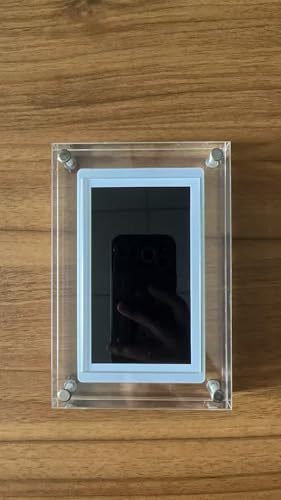
What it offers: A 5-inch display framed as a smart frame that relies on a 2.4GHz WiFi connection and a dedicated smartphone app for initial setup and operation. This model emphasizes ease of sharing and remote viewing through its app-based workflow, suitable for households already using similar frames.
Who it’s best for: Buyers who want to set up a small, app-driven display and share memories with family members via a mobile interface. It’s ideal for those who value cloud-based sharing but can accept a basic control interface without a remote.
Limitations: No remote control included, so all navigation can be done via the app or the back-panel buttons. Requires ongoing WiFi connectivity for best use; 5GHz networks are not supported.
FindXeink 5 Inch Acrylic Mini Digital Photo Frame
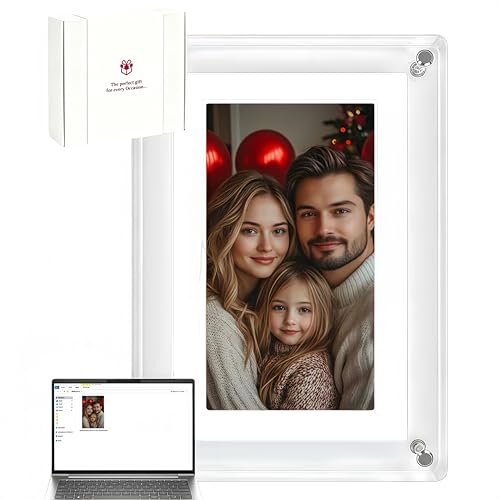
What it offers: A premium acrylic 5-inch frame with 4GB storage and 360° auto-rotate. It supports Type-C auto playback and is designed as a warm decor piece for birthdays or home settings. It loops memories automatically upon power-on and delivers a clean, modern look.
Who it’s best for: Gifting or personal keepsakes where a compact, elegant frame is desired. The auto-rotate feature helps adapt to both portrait and landscape media without manual adjustments.
Limitations: Storage capacity is modest at 4GB, which may limit the number of high-resolution photos and videos stored locally. Consider converting larger media or using the device for short clips to maximize memory use.
Linkdaze 10.1 Inch Picture Frame

What it offers: A larger 10.1-inch IPS touch display with 32GB of internal storage, designed for easy wireless sharing via the AiMOR app. It supports multiple media formats and offers a practical, user-friendly interface for families who want a shared digital gallery.
Who it’s best for: Households seeking a bigger screen for photos and short videos, with a straightforward path to sharing from smartphones. It’s a better choice when more memory and a touch interface improve usability.
Limitations: While offering robust memory, the frame relies on WiFi and the AiMOR app ecosystem, which may require ongoing app management and occasional connectivity considerations.
Frameo 10.1 Inch WiFi Digital Picture Frame

What it offers: A 10.1-inch wireless digital frame with Frameo family sharing. It emphasizes secure photo sharing over WiFi from the Frameo app, plus a large 32GB memory and auto-rotate features. It’s designed for grandparents or relatives who want a simple way to receive updates.
Who it’s best for: Families who want an easy, private sharing network with a city- or country-spanning group of relatives. It’s a practical pick for grandparents who prefer a straightforward app-driven flow without complex setup.
Limitations: It requires app onboarding for initial use and relies on internet connectivity for sharing, which may introduce potential setup friction for first-time users.
Anna Bella 10.1 Inch Digital Picture Frame

What it offers: A high-definition 10.1-inch display with AiMOR app support and 32GB memory. It focuses on bridging distances and allowing instant sharing with friends and family via a wireless link. The frame supports auto-rotate and a broad range of media formats.
Who it’s best for: Those who want a robust, family-wide sharing experience with a larger display for vivid memories, ideal for living rooms or shared spaces where everyone can participate.
Limitations: Requires proper WiFi setup and app usage. The larger screen may require more desktop space or shelf room than smaller models.
AEEZO 10.1 Inch Digital Picture Frame

What it offers: A 10.1-inch IPS touch display with 32GB memory and AiMOR app support. It highlights instant sharing from anywhere, plus auto-rotate and flexible media support. It’s designed for families who want ongoing, collaborative photo and video sharing.
Who it’s best for: Buyers who want a reliable, app-driven frame with strong memory and easy setup. It appeals to households that routinely share memories via a shared digital gallery.
Limitations: WiFi dependence means performance hinges on network stability and app reliability, which can vary by environment.
Aura Carver 10.1″ HD Digital Picture Frame

What it offers: Aura’s 10.1-inch frame emphasizes gifting and easy sharing with cloud-backed storage and a straightforward setup process. It’s positioned as a premium option with praised ease of use and a polished interface.
Who it’s best for: Buyers seeking a premium, easy-to-use frame that’s well-suited for gifting, especially for parents or grandparents who value simple operation and reliable sharing from anywhere.
Limitations: It relies on its cloud service and may require ongoing connectivity. Some users may prefer a local storage option for offline viewing.
Buying Guide: Key Considerations For a 5-Inch Frame
- Connectivity: Decide between WiFi-enabled frames for easy sharing and non-WiFi models for simple, stand-alone use.
- Storage: Check internal memory and expansion options. More memory reduces the need for constant transfers.
- Display quality: Look for IPS panels and resolution that suit your viewing distance, especially if placed on desks or shelves.
- Media support: Ensure the frame plays your common formats (MP4, JPG/JPEG, PNG). Some frames limit media size or frame rate.
- Rotation features: Auto-rotate helps adapt to portrait or landscape media without manual edits.
- App ecosystem: If you want sharing from phones, evaluate the app’s ease of use, privacy, and compatibility across family devices.
- Remote viewing and privacy: Frames with secure sharing and controlled access protect family memories.
- Size and placement: A 5-inch frame is compact; ensure it fits desks, shelves, or memorial displays without crowding.
Frequently Asked Questions
- Do all 5-inch frames require WiFi? No. Some models are plug-and-play and work offline via USB or local media.
- What video formats are typically supported? Most support MP4 and common image formats like JPG/JPEG, with resolutions up to 1920×1080.
- Can you rotate photos automatically? Many frames offer 360° or automatic orientation to fit both portrait and landscape media.
- Is built-in memory enough for a family gallery? 32GB is common in larger models; smaller options may have 4GB–8GB. Expansion via SD card is variable by model.
- Are these frames safe for gifting? Yes, frames with simple setup and easy sharing are popular gifts for family and friends.
- Which frame is best for non-technical users? Frames with app-based setup and straightforward touch controls tend to be the easiest for non-tech users.