People increasingly want physical photos from their smartphones, without the hassle of a full studio setup. The best camera printers for phones blend wireless connectivity, compact design, and durable photo paper to deliver high-quality prints in minutes. This guide highlights five top options that fit a range of needs—from pocket-sized shots for travel to home-desk setups that dock and charge. Each pick is evaluated on print quality, ease of use, paper types, and app features to help you choose the right device for your mobile photography.
| Product | |||
|---|---|---|---|
| KODAK Step Instant Smartphone Photo Printer (White) | 2×3″ ZINK Paper | Bluetooth, NFC | Zero-ink technology with a strong editing app |
| KODAK Dock Plus 4PASS Instant Photo Printer | 4×6″ Paper (50 sheets) | Wireless Bluetooth; docking/charging | Home-friendly hub for printing and charging |
| Liene M100 4×6″ Photo Printer | 4×6″ Paper (100 sheets with cartridges) | Wi-Fi | High-capacity package with compact design |
| Fujifilm Instax Mini Link 3 | Instax Mini film | Bluetooth | Creative mobile instax printing |
| Canon Ivy 2 Mini Photo Printer | ZINK paper (sticky-back) | Bluetooth | No ink needed with strong peel-and-stick prints |
Below are the five products selected for relevance to phone-based photography and on-the-go printing. Each entry includes an overview, key features, and how it fits different user needs—from casual snapshots to organized albums.
KODAK Step Instant Printer — White

The KODAK Step Instant Smartphone Printer brings instant, glossy 2×3″ photos with a sticky-back option, ideal for scrapbooks or sharing on the go. It connects to iOS or Android devices via Bluetooth or NFC, enabling quick transfers from camera roll or social apps. The printer uses ZINK zero-ink technology, so there’s no ink cartridges to replace. The included starter pack of ZINK paper keeps you printing right away, while the Kodak editing app offers filters, borders, stickers, and text for personalized prints. Prints are durable and water-resistant, making them suitable for travel and everyday use.
KODAK Dock Plus 4PASS Instant Photo Printer

The KODAK Dock Plus 4PASS is a versatile home printer that doubles as a charging dock for compatible phones. It prints 4×6″ photos quickly and supports wireless Bluetooth connections. This model emphasizes ease of use at home or in classrooms, with a bundle option that adds extra value for printing at scale. It’s designed to integrate smoothly into a desk setup, allowing you to print favorite moments directly from your phone and keep devices powered up through a single docking station. Suitable for families and small offices that want durable prints with simple operation.
Liene M100 4×6″ Photo Printer

The Liene M100 offers a compact, user-friendly solution for mobile printing. It ships with a substantial paper and cartridge package, including 100 sheets and three color cartridges for full-color output. The printer leverages thermal dye-sublimation for vibrant results on 4×6″ paper with a laminated surface that’s resistant to moisture, fingerprints, and fading. A built-in Wi-Fi hotspot eliminates reliance on external networks, enabling a direct and stable connection to smartphones. Appropriate for users who want a complete, ready-to-print kit with minimal setup.
Fujifilm Instax Mini Link 3

The Fujifilm Instax Mini Link 3 delivers instant prints from a smartphone using Instax Mini film. It emphasizes creative mobile printing with a variety of in-app templates, frames, and effects. Bluetooth connectivity enables quick transfers from the device to the printer, and the compact form factor makes it a popular choice for social events, parties, and travel. The Mini Link 3 is designed for users who enjoy retro-style photographs and the tangible feel of Instax prints, offering a seamless bridge between digital photos and physical keepsakes.
Canon Ivy 2 Mini Photo Printer

The Canon Ivy 2 Mini Printer uses ZINK paper with a peel-and-stick back, making it convenient for quick, tangible photos to stick on planners, phones, or frames. The Ivy 2 integrates with Canon’s Mini Print App to personalize images before printing. The compact design, no ink requirement, and adhesive backing make it a practical option for journaling, scrapbooks, and personalized gifts. It’s suited for users who want simple, adhesive prints without the need for messy cartridges or complicated setup.
KODAK Step Instant Printer — Pink
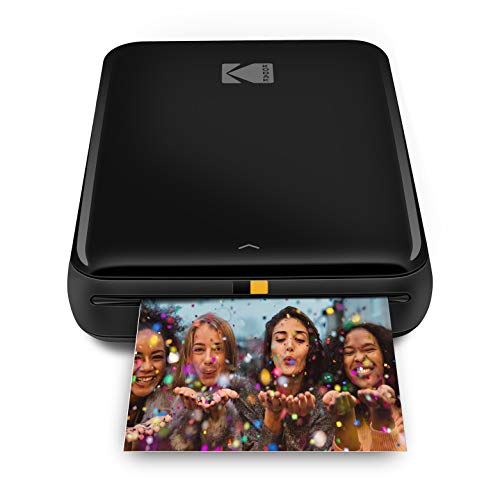
The pink variant of the KODAK Step echoes the White version’s strengths with the same Bluetooth/NFC pairing, zero-ink technology, and 2×3″ sticky-back prints. The included editing options in the Kodak App let users add filters, borders, stickers, and text before printing. It’s an attractive choice for users who want a stylish device that remains highly functional for quick social media-to-physical photo workflows. It suits personal travel kits or gift sets for photography enthusiasts.
KODAK Step Printer — Pink (Variant)
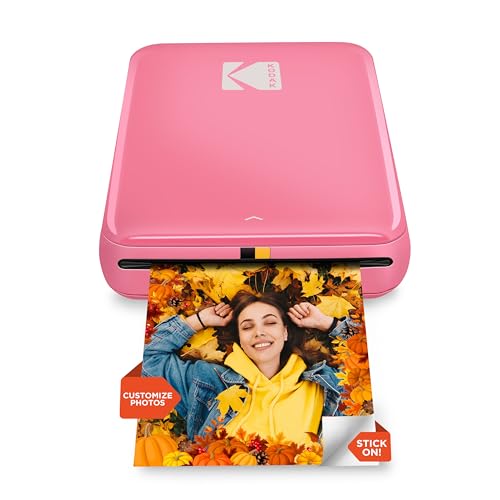
The pink Step Printer emphasizes the same core features that make Kodak’s Step line a staple in mobile photo printing: Bluetooth or NFC pairing, instant 2×3″ prints, and zero-ink technology. The included app support for collages, filters, borders, and text helps users craft personalized keepsakes quickly. This option is ideal for fans of colorful gear who want reliable, portable, and user-friendly printing from their mobile devices, whether for travel diaries or classroom projects.
Buying Guide: Key Purchase Considerations
Choosing the right camera printer for your phone depends on print size, durability, and how you plan to use the device. Here are the main factors to consider:
- Print size and paper type: If you want wallet- or scrapbook-sized photos, prefer 2×3″ or 4×6″ outputs. Sticky-back papers are handy for quick display, but non-sticky variants excel for albums and frames.
- Printing technology: ZINK (zero ink) printers avoid cartridge costs and are generally portable, but some users prefer dye-sublimation for richer color depth on larger formats.
- Connectivity and setup: Evaluate whether you need Bluetooth, NFC, or Wi-Fi. Docking capability is a plus for home use, while direct phone printing frees you from extra steps.
- App features: Look for editing tools, templates, borders, and stickers. Strong apps enable fast customization before printing, enhancing the value of each photo.
- Durability and finish: Consider lamination or coating options for lasting prints. Water resistance and fade resistance are important for travel or outdoor use.
- Cost of consumables: Paper and cartridge costs accumulate over time. Zero-ink solutions reduce ongoing expenses but verify the per-print cost for your typical usage.
- Portability and durability: If you plan to take the printer on trips, weight, battery life, and build quality matter. Home-use models can offer dock charging and larger paper capacity.
Across these options, users seeking maximum convenience will favor compact, battery-free operation with sticky-back prints, while those desiring wall-ready photographs may prefer 4×6 or larger formats with robust color fidelity. For classroom or family use, bundles that include ample paper and cartridges provide better long-term value. The right choice aligns with printing frequency, preferred photo sizes, and how you want to display or preserve your memories.