Compact indoor cameras offer reliable home monitoring without cluttering living areas. This guide highlights five top picks ideal for apartments, focusing on ease of setup, video quality, privacy controls, and smart features like motion alerts and two‑way audio. Each product is evaluated for apartment use, including night vision, pan/tilt capabilities, and local vs cloud storage options. Use the summary table below to compare core attributes at a glance.
| Product | Brand | Key Benefit | Video Quality |
|---|---|---|---|
| Kasa 1080p Indoor Pan/Tilt (EC71) | Kasa Smart | Patrol Mode and 360° view | 1080p |
| Blink Mini | Blink | Compact design, easy setup | 1080p |
| Funstorm 4K Mini Nanny Cam | Funstorm | 4K clarity, long battery life | 4K |
| Ring Indoor Cam | Ring | Privacy cover, motion alerts | 1080p |
| adorcam 2K Pan/Tilt | adorcam | 2K resolution with 360° pan | 2K |
Kasa 1080p Indoor Pan/Tilt Security Camera EC71

The EC71 offers 360° horizontal and 113° vertical coverage, allowing you to monitor an entire room or hallway from a single device. Patrol Mode lets you define regions for autonomous monitoring, making it suitable for apartments with multiple entryways. Motion tracking automatically follows moving objects, sending instant alerts to your phone. The camera supports 2.4GHz Wi-Fi and provides instant notifications for motion, with an optional baby cry detection feature suitable for monitoring infants. Local storage on a microSD card is available, and cloud storage is optional, giving flexibility for renters who avoid ongoing fees.
Blink Mini Indoor Plug-In Security Camera
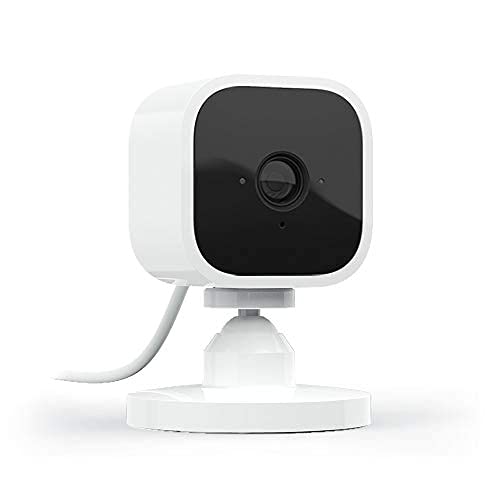
The Blink Mini is a compact, plug-in camera designed for quick setup and everyday monitoring. It provides 1080p HD video, night vision, and two-way audio, allowing you to see, hear, and talk to occupants or pets from your smartphone. Motion detection sends alerts to your phone, and you can customize motion zones to focus on areas that matter most in small apartments. The camera integrates with Alexa for voice control and remains a simple, unobtrusive option for renters seeking a straightforward security solution.
Funstorm 2025 4K Indoor Security Camera

Funstorm’s upgraded indoor camera delivers 4K ultra-clear video and a wide 110° field of view, ensuring comprehensive coverage of living rooms, nurseries, and entryways. A long-lasting 2600mAh rechargeable battery supports extended operation, with easy recharging via included cable. Night vision is optimized for low light, and the device supports remote viewing. Free cloud storage trial is highlighted, along with timely push notifications for detected motion. It’s designed for households that want high-resolution footage without frequent power access constraints.
Ring Indoor Cam

Ring Indoor Cam provides 1080p HD video with Live View and optional Color Night Vision. A notable privacy feature is the Privacy Cover, which physically blocks the camera and microphone when desired. Advanced Pre-Roll captures several seconds before motion events, giving a fuller picture of activity. Ring emphasizes user privacy and control, making it suitable for apartments where discretion and easy masking of the device are important. The camera integrates with Ring’s ecosystem and supports alert customization for different family members or tenants.
adorcam Indoor Camera 2K Pan/Tilt
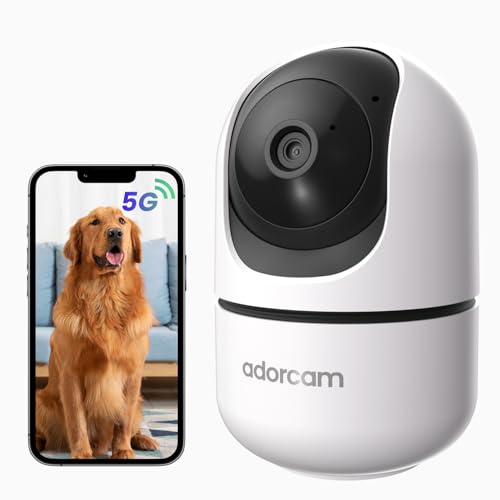
adorcam offers a 2K resolution with 360° horizontal and 100° vertical pan/tilt coverage. The 2.4/5 GHz dual-band WiFi connection improves stability in apartment environments, reducing dropouts. It features two-way audio for real-time communication and night vision for low-light conditions. The camera targets households needing sharper image quality and seamless remote viewing across multiple rooms, with clear alerts when movement is detected. Setup emphasizes straightforward use and reliable connectivity for apartment layouts with limited space.
Buying Guide: Key Purchase Considerations
- Video quality and room coverage: Choose cameras offering at least 1080p for clear details, with pan/tilt or wide-angle lenses to maximize coverage in compact spaces.
- Storage options and privacy: Decide between local storage (microSD) and cloud storage, weighing privacy concerns, data ownership, and potential fees. Privacy features like physical shutters or privacy modes are valuable for apartments with shared walls.
- Power and connectivity: Battery-powered models avoid outlet clutter but require periodic charging; wired or plug-in cameras simplify constant operation but need outlet access. Ensure your router supports stable 2.4GHz Wi‑Fi or dual-band options for reliability in apartments with signal interference.
- Alerts and detection: Look for motion detection with customizable zones and activity alerts. Some models offer person or pet detection, which reduces irrelevant notifications in busy households.
- Two-way audio: Bi‑directional audio is useful for communicating with visitors or pets. Consider cameras with good microphone and speaker quality for clear conversations.
- Privacy controls: Manual privacy covers or convenient app-based controls help protect your family’s privacy when you’re home or when guests visit.
- Integration and ecosystem: If you use voice assistants or a smart home hub, verify compatibility (Alexa, Google Assistant, Ring ecosystem) to streamline control and routines.
- Durability and reliability: For apartments, indoor-only designs with stable Wi‑Fi are typically sufficient. If you occasionally risk exposure to dust or moisture, check IP ratings or weatherproof claims for durability inside hallways or entryways.
These considerations help balance cost, ease of use, and security. When selecting a model, align features with your living space: for example, a camera with a wide field of view and smooth pan/tilt is ideal for studio apartments, while a privacy-focused option is preferable in shared buildings. Always verify latest compatibility and firmware updates to ensure ongoing security and performance.