If you’re shopping for an external video monitor to pair with a camera, you want a tool that improves focus, exposure, and framing without weighing you down. The top picks below are chosen for versatility, brightness, and easy integration with 4K HDMI workflows. Ideal buyers include independent filmmakers, vloggers, and event shooters who need reliable monitoring on the go or in studio setups.
Summary table of selected products:
| Product | Best For | Key Benefit | Brightness | Notes |
|---|---|---|---|---|
| FEELWORLD FW759 7 Inch | On-camera monitoring | Compact, light, 4K HDMI input | 400 nit | Great for rigs with gimbals |
| NEEWER F700 7″ | High-contrast outdoor shoots | 2000 nit, LUTs, 4K loop | 2000 nit | Advanced features in portable form |
| JINSWY 10.1″ Security Monitor | Multi-device setups | HD inputs, versatile ports | 300 nit | Good for surveillance/backup use |
| FEELWORLD S55 V3 6 Inch | Indoor studios | 3D LUT, waveform, sun hood | 450 nit | Compact, strong toolkit |
| NEEWER F100 7″ | Rig flexibility | Peaking, LUTs, long battery life | 450 nit | Good balance of features and size |
FEELWORLD FW759 7 Inch DSLR Field Monitor
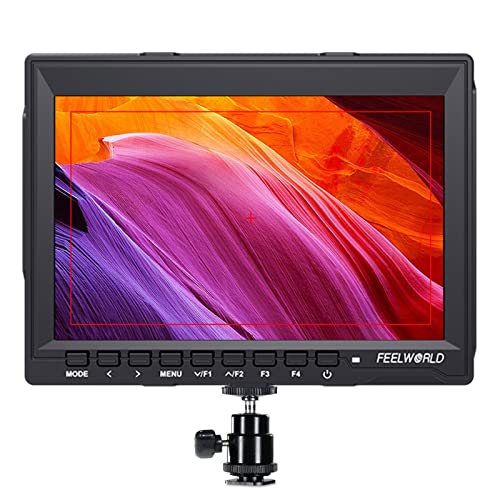
The FEELWORLD FW759 is a compact 7-inch field monitor with 1280×800 resolution and a slim 17mm profile. It supports 4K HDMI input, making it compatible with most DSLRs and camcorders. This model is best for creators who need a portable upgrade to their on-camera screen without adding bulk.
Who it’s best for: solo filmmakers, run-&-gun shooters, and vloggers who want a lightweight monitor for accurate framing on stabilizers or gimbals. Why selected: its balance of size, HDMI 4K input support, and color accuracy helps prevent misfocus and exposure mistakes during mobile shoots.
Caution: While portable, it offers modest brightness by outdoor standards; consider a sun hood or controlled lighting for bright sun conditions. This monitor excels when paired with a compatible rig that benefits from a lighter external screen.
NEEWER F700 7″ Camera Field Monitor

The NEEWER F700 offers a bright 2000 nit output and a 7-inch IPS touchscreen with 1920×1080 resolution. It includes 3D LUTs, HDR-like tools, and a 4K HDMI loop in/out, enabling professional monitoring with simultaneous audio. It is designed for high-contrast outdoor and indoor shoots where visibility is critical.
Who it’s best for: outdoor shooters and video teams needing vivid exposure tools and extended battery life. Why selected: its extremely bright display and LUT capabilities provide precise monitoring in challenging lighting, with flexible input/output options for complex rigs.
Caution: The high brightness helps in sunny conditions but can consume more power; plan for battery life accordingly. While feature-rich, it is larger than ultra-compact options, so consider your camera rig’s balance and weight.
JINSWY 10.1″ Security Monitor

The JINSWY 10.1-inch monitor is a larger, versatile option with 1024×600 resolution and multiple inputs (HDMI, VGA, BNC, AV, USB). Its broad compatibility makes it suitable for CCTV setups, Raspberry Pi projects, or as a secondary monitor on a workflow. It’s a practical all-around monitor for embedded or compact systems.
Who it’s best for: technicians, security setups, or creators who need a larger portable screen that connects to diverse devices. Why selected: its wide input options and built-in speakers provide a flexible, all-in-one monitoring solution for varied environments.
Caution: Not designed as a high-end cinema-grade monitor; color accuracy and brightness are adequate for general monitoring but not a professional grading reference. Best used as a secondary, not primary, production monitor.
FEELWORLD S55 V3 6 Inch On-Camera Monitor

The FEELWORLD S55 V3 is a compact 6-inch monitor with 1920×1080 IPS panel and 450 nits brightness. It includes professional tools like waveform, vectorscope, RGB histogram, focus assist, and 3D LUT support. A sun hood helps outdoor visibility, making it well-suited for controlled studios or outside shoots where coverage matters.
Who it’s best for: vloggers and filmmakers who need a small but capable external screen with a robust set of monitoring tools. Why selected: its combination of feature-rich software tools and a sun hood addresses common outdoor shooting challenges, while staying light enough for handheld use.
Caution: The smaller size means you may want a larger external display for complex rigs; use this as a primary monitor in compact setups or as a complementary screen on a rig.
NEEWER F100 7″ Camera Field Monitor
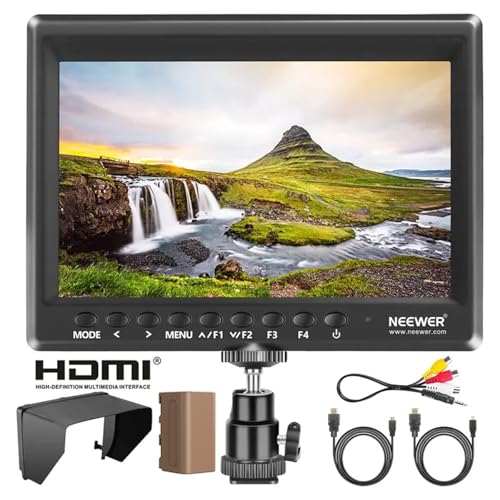
The NEEWER F100 7-inch monitor updates with a 1280×800 IPS panel and 450 nits brightness, offering a 360° ball head, peaking focus, center markers, and a 4K HDMI input. It supports multiple formats and includes practical exposure tools for on-camera shooting and handheld rigs.
Who it’s best for: filmmakers and videographers who want a balanced, feature-rich external monitor with flexible mounting and battery options. Why selected: the combination of Peaking Focus, Check Field, and histogram tools helps maintain sharp focus and correct exposure on the move.
Caution: While well-equipped, some users may prefer more LUT storage or higher brightness for direct sunlight; consider a sun hood for outdoor shoots with bright skies.
FEELWORLD F5 Prox 5.5 Inch 1600nit

The FEELWORLD F5 Prox is a compact 5.5-inch monitor with an ultra-bright 1600 nit display. It provides professional tools like focus peaking, waveform, histogram, and 3D LUT support, facilitating precise exposure and focus in bright outdoor conditions. It’s designed to be a portable external monitor for DSLR and mirrorless cameras.
Who it’s best for: filmmakers and videographers who shoot in harsh sunlight and need a small, bright screen on a compact rig. Why selected: the 1600 nit brightness ensures visibility outdoors, while LUT preview helps review footage quickly on location.
Caution: The smaller size may not be ideal for detailed critical focus in complex scenes; pair with a larger secondary monitor if needed for precise critical work.
Buying Guide: Key Considerations For Your Video Monitor
- Display size and resolution: Larger screens improve composition but add weight. Choose a size that fits your camera rig and the level of detail you need during focus pulls.
- Brightness and outdoor use: For daytime shoots, prioritize higher nit ratings or sun hoods to reduce glare. Indoors, 300–500 nits may suffice.
- Input and output options: Ensure HDMI is supported at 4K if your camera records or outputs 4K signals. Loop in/out can simplify multi-device setups.
- Exposure and focus tools: Waveform, histogram, false color, and focus peaking help minimize reshoots. LUT support is useful for previewing grading looks.
- Power and mounting: Check battery compatibility (NP-F or USB power options) and whether the monitor includes a robust tilting or ball-head mount for your rig.
- Color accuracy vs. practicality: Some monitors emphasize accurate color grading, while others prioritize ease of use and portability. Balance needs with your production workflow.
FAQ
- What is the main purpose of an external video monitor? An external monitor helps you compose frames, check exposure, and ensure sharp focus beyond what your camera’s tiny screen shows.
- Do I need a sun hood for outdoor shoots? Yes, for most outdoor filming, a sun hood improves visibility and reduces glare on bright days.
- Should I pick 4K input support? If your camera outputs 4K HDMI signals, a monitor with 4K input ensures accurate preview without downscaling.
- Is higher brightness always better? Not always; higher brightness helps outside, but it can consume more power. Consider how you’ll power the monitor.
- Do these monitors affect camera balance? They can add weight; ensure your rig’s balance and mounts support the extra load for stable operation.
- Can these monitors replace my built-in screen? External monitors are typically used alongside your camera’s display, not as a complete replacement for essential on-camera monitoring in all situations.